Wi-Fi, Power and Phone Signal on a Komodo Liveaboard: The Honest Answer
Short answer. Plan for patchy mobile data and no reliable internet once you leave Labuan Bajo. On-board Wi-Fi is not in the operator’s published inclusions. Charging is fine — the vessel carries a 33KVa generator — but connectivity is not something to build a working week around.
This is the question the booking desk gets asked most and the one most operator websites answer evasively. Here is the straight version, which is also the version that makes for a better trip.
What connectivity you actually have
Labuan Bajo itself has functional mobile data. The moment you head into the archipelago, coverage becomes a function of geography: line of sight to a mast on Flores, and nothing else. Anchorages tucked behind islands lose it. The further west you go — Padar, Komodo Island, Karang Makassar — the thinner it gets.
| Where you are | Realistic expectation |
|---|---|
| Labuan Bajo harbour, boarding morning | Normal mobile data |
| Day-one inner islands (Kelor, Manjarite) | Intermittent, usable in bursts |
| Kalong overnight anchorage | Weak to intermittent |
| Padar and Pink Beach | Weak; occasional bars on the ridge |
| Komodo Island, Manta Point, Taka Makassar | Generally none |
| Return leg toward Labuan Bajo | Signal returns as you close the coast |
| On-board Wi-Fi | Not listed in the published inclusions — do not plan on it |
Coverage description reflects the published route and the geography of the park. Networks change; treat this as a planning assumption, not a guarantee.
Why a local SIM is on the must-bring list
The operator’s own packing list names a Telkomsel SIM specifically, and it is the single most useful item on it for connectivity. Telkomsel has the broadest coverage in eastern Indonesia by a clear margin, and the difference between it and a roaming foreign SIM in this part of the country is not marginal.
Buy it in Bali or in Labuan Bajo before you board, with your passport, and check it works before you leave the harbour. The other connectivity-adjacent item on the list is a power bank, and the power bank on the packing list is there for a reason: a phone hunting for signal all day flattens far faster than one in airplane mode.
Charging on board: what a 33KVa generator means
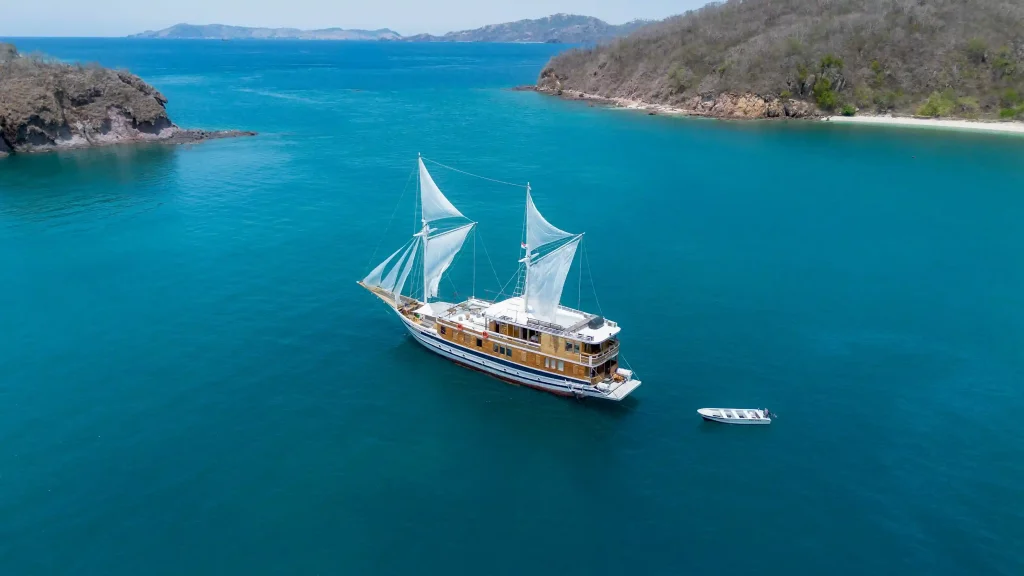
The vessel carries a Mitsubishi 4D32 33KVa generator, which runs the whole boat — air conditioning in eight cabins and the indoor dining area, lighting, galley, navigation and the sockets you want to use. In practical terms, charging phones, cameras, GoPros and laptops is entirely routine.
What is not routine is anything with a heavy draw. Hair dryers, travel irons and banks of high-capacity batteries are worth asking the crew about rather than plugging in and hoping. Bring a multi-plug adaptor if you are travelling as a couple — cabin sockets are finite, and the cabin comparison is the place to check what your cabin has.
Working remotely from a phinisi: why it does not work
People ask, and the answer is no. Not because the boat is basic — it has an air-conditioned indoor dining area, a lounge and a full galley — but because a video call needs sustained upload bandwidth at a fixed moment, and what you have is intermittent mobile data that disappears behind an island.
You can send a message when signal returns. You cannot commit to a Tuesday afternoon call from Manta Point. If something genuinely cannot wait three days, the honest advice is to move the trip rather than spend it anxious on a sun deck refreshing a signal bar.
The offline checklist for the boarding morning
Ten minutes in your hotel before the 09:00 pick-up saves the whole trip’s worth of friction.
- Download offline maps of the Komodo archipelago, so you can follow where you are without data.
- Download music, books and anything else you intend to consume. Streaming will not work.
- Screenshot your booking confirmation, flight details and the operator’s contact numbers. A confirmation that lives in an email you cannot open is not a confirmation.
- Charge everything, including the power bank. Do it overnight, not in the taxi.
- Send the “I’ll be offline” message before you lose signal rather than after.
- Put the phone on airplane mode once you sail. A handset hunting for a tower all day is the fastest way to a dead battery by dinner on day one.
Setting expectations before you sail
Two things worth doing on the boarding morning. Send whoever needs to know your itinerary and the operator’s contact details — WhatsApp +62 811 3823 875 and [email protected] reach a desk on land throughout your sailing. And tell them clearly that you will be out of contact, so that silence reads as expected rather than alarming.
Then put the phone in the dry bag. The disconnection is not a limitation of the trip; for most guests it turns out to be the point of it. The route and its coverage gaps shows exactly where you drop off the map, and a whole-boat charter gives you the freedom to structure the days entirely around being offline. For the fleet-wide facilities picture, see the operator’s on-board facilities overview.
Frequently asked questions
Is there Wi-Fi on the Catnazse Liveaboard?
Will my phone work in Komodo National Park?
Can I charge my phone and camera?
Can I work remotely from the boat?
How do I tell people at home I will be unreachable?
Ask the crew directly
Ask the desk to confirm the current connectivity position for your cabin and dates. Catnazse Liveaboard is operated by Komodo Luxury, part of Juara Holding Group, working out of Labuan Bajo since 2015.
WhatsApp: +62 811 3823 875
Email: [email protected]
Instagram: @catnazse.liveaboard